

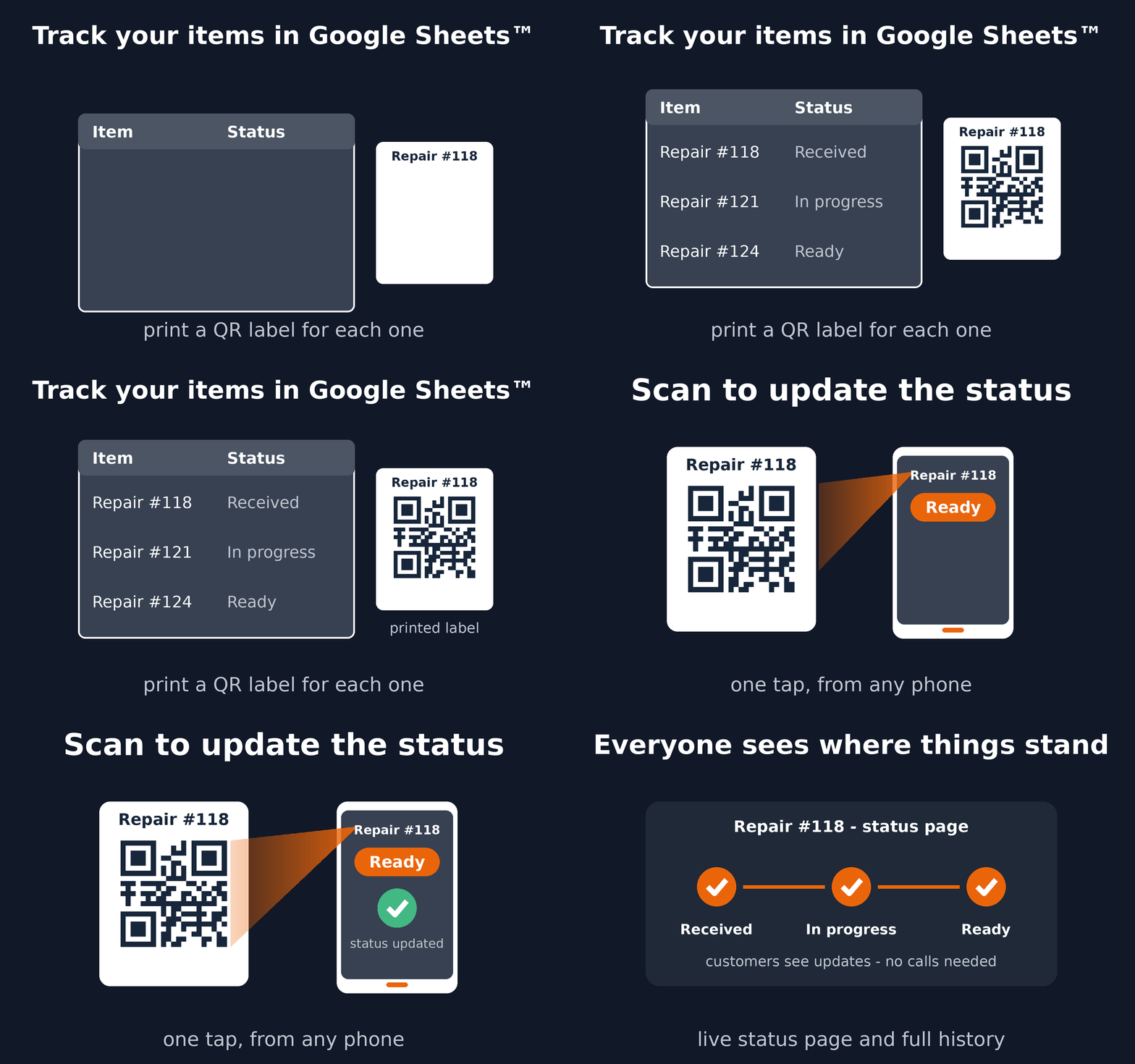
QR Code Status Tracker turns a case register in Google Sheets™ into a guided processing workflow. Each case stays linked to its current step and history, whether staff identify it from the sheet or scan a QR code on its physical folder.
Install QR Code Status Tracker
See the complete workflow
A practical case workflow
- Keep one case, application, or document folder per spreadsheet row.
- Choose steps such as Received, Under review, Waiting for documents, and Complete.
- Use the existing case number, or generate printable QR labels for physical folders.
- Scan a folder at each handoff to update its status and preserve the history.
- Optionally share a private progress link without exposing your spreadsheet.
When to use a custom Trak setup
Choose a custom Trak setup when cases need detailed forms, structured decisions, dashboards, GPS, signatures, dynamic locations, or integrations. For cases moving through a shared set of named steps, start with QR Code Status Tracker.
Read the setup guide or install the add-on from Google Workspace Marketplace™.
Google Sheets™ and Google Workspace Marketplace™ are trademarks of Google LLC.
QR Code Status Tracker documents: Terms of Service and Privacy Policy.