
For orders, parcels, cases, samples, installations, and other items that already live in Google Sheets™, QR Code Status Tracker is the easiest place to start. It turns each row into a trackable item with your own status steps, scan history, optional QR labels, and private customer progress updates.
Install QR Code Status Tracker
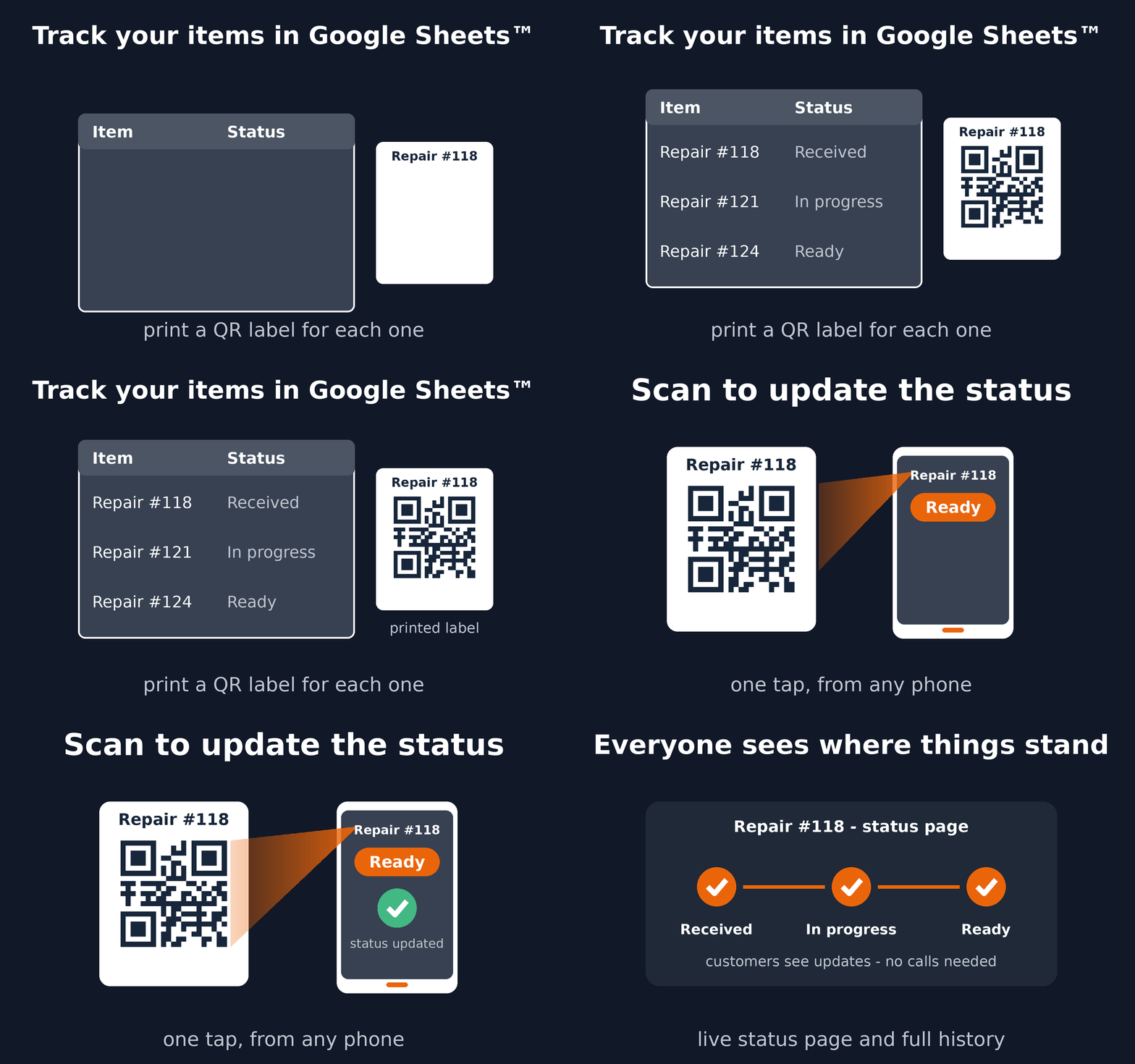
See how it works
Practical workflows you can start from a spreadsheet
- Order fulfillment: validate, pick, pack, and dispatch each order.
- Parcel tracking: receive, route, deliver, and share progress.
- Cases and documents: follow folders and applications through review.
- Quality assurance: track samples, inspections, rework, and approval.
- Installations: record condition, inspection, repair, and readiness.
- Custom item workflows: use the status steps that match your work.
Need more than a status workflow?
QR Code Status Tracker creates a standard Trak process for you. When your workflow needs structured forms, complex rules, dashboards, GPS, signatures, dynamic locations, alerts, or integrations, create a custom Trak process or ask us for help.
Running registrations or events instead? See our QR code ticket add-ons for Google Sheets™ and Google Forms™.
Google Sheets™, Google Forms™, and Google Workspace Marketplace™ are trademarks of Google LLC.
QR Code Status Tracker documents: Terms of Service and Privacy Policy.